



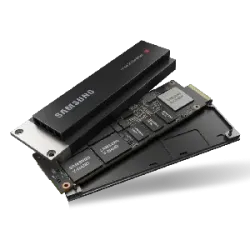
The SSD category covers M.2, SATA, external and server SSDs, plus accessories for upgrading storage in desktops, laptops and servers. Our range includes HP Enterprise, Lenovo, Transcend, Samsung, SanDisk and ADATA.
With over 3,300 models, it suits home users replacing an old hard drive as well as businesses fitting out a server.
How to choose an SSD
Interface and form factor. Start by checking what storage your device supports. M.2 drives fit straight into a motherboard slot, but they can be SATA or NVMe (PCIe), so confirm which one your board or laptop accepts. A 2.5-inch SATA SSD suits older computers and is the simplest way to replace a hard drive.
Capacity. 500 GB is often enough for an operating system and everyday programs, while games, photo libraries and video projects call for 1 TB or more. Keep some space free, because a nearly full SSD writes more slowly.
Endurance and purpose. Manufacturers state endurance as TBW, the total amount of data that may be written to the drive over its lifetime. A standard client SSD is enough for a home PC, while server drives are built for constant load and usually offer higher endurance. For a server, check compatibility with its manufacturer before buying.
Operating temperature. Among the values listed in our range, 0 to 70 °C appears most often, but there are also drives rated for 5 to 50 °C and for -10 to 59 °C. A wider range matters if the drive will sit in a warm cabinet, industrial equipment or a poorly ventilated case.
External drives. Choose by connector and transfer speed: a drive with a USB-C connector moves large files faster if your computer has the same port. If you carry the drive every day, shock resistance is worth checking too.
SSD brands we carry
- Samsung: makes its own memory chips and controllers, and its M.2 NVMe drives are among the best known in the consumer market.
- SanDisk and Western Digital: known for portable external SSDs and the WD Black series for gaming PCs.
- HP Enterprise, Lenovo and Dell: supply drives made for their own servers and workstations, so they are often chosen as compatible spare parts.
- Kioxia: a flash memory maker formerly known as Toshiba Memory, with drives widely used in servers.
- Kingston and Crucial: popular for straightforward upgrades, with both SATA and M.2 models.
- ADATA: a Taiwanese manufacturer with the XPG line aimed at gamers.
Transcend and 2-Power products are also in our range. The subcategories are M.2 SSDs, server SSDs, SATA SSDs, external SSDs and SSD accessories such as brackets and adapters.
SSD frequently asked questions
What is the difference between NVMe and SATA SSDs?
An NVMe drive transfers data over PCIe, which makes it considerably faster than a SATA drive. SATA drives usually come in the 2.5-inch format, while NVMe drives are most often M.2. For everyday browsing the difference is less noticeable, but it shows more with large files and video work.
How much SSD capacity do I need?
500 GB is usually enough for an office or study computer. If you play games, edit video or keep a large photo library, choose 1 TB or more. It is better to buy a little extra than to run out of space within a few months.
How do I know if an M.2 drive will fit my laptop?
Check the laptop manufacturer's specification or manual. It states whether the slot supports SATA, NVMe or both, and what drive length fits. The most common length is 2280, but some devices only take shorter drives.
Can I use a server SSD in a home computer?
Yes, if the connector and form factor match, though it is not always sensible. Server drives are built for constant load and sometimes need a specific controller or bracket. A standard client SSD is normally enough for a home PC.


