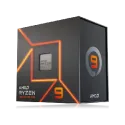
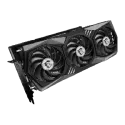
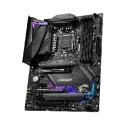
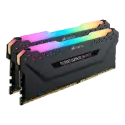
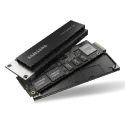
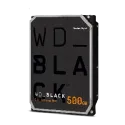
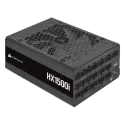
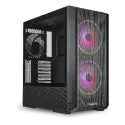
The computer components category covers processors, graphics cards, motherboards, memory, SSDs and HDDs, power supplies, cases and coolers. It suits anyone building a PC from scratch or upgrading an existing one. Our range includes over 36,000 products, with manufacturers such as Intel, AMD, ASUS, Gigabyte and Thermaltake.
How to choose PC components
Compatibility. Start with the processor socket and the motherboard chipset: Intel and AMD processors use different sockets, and even processors from the same generation do not always fit every board. Also check the memory type the board supports, DDR4 or DDR5, as the two cannot be mixed.
Memory. 16 GB is usually enough for office work and browsing, while gaming and video editing are more comfortable with 32 GB. Two identical modules run in dual-channel mode, which is often faster than a single larger module.
Storage. Choose an SSD for the operating system and programs, ideally NVMe with an M.2 slot if your motherboard has one. HDDs suit large archives and backups, where capacity matters more than speed.
Power supply. Pick the wattage according to the graphics card and processor, leaving some headroom for future upgrades. Check that the unit has all the extra power connectors your graphics card needs.
Case and cooling. The case must fit your motherboard format (ATX, Micro-ATX or Mini-ITX), a long graphics card and a tall processor cooler. The Accessories section also has thermal paste, thermal pads and cleaning products, which come in handy when you replace a cooler.
Brands you will find here
- Intel and AMD: the two main makers of desktop processors, and AMD also designs Radeon graphics cards.
- ASUS and Gigabyte: known for motherboards and graphics cards, from entry-level models to ones aimed at enthusiasts.
- Thermaltake: makes cases, power supplies and cooling products, including fans with lighting.
- Lenovo, Dell and HP Enterprise: makers of servers and workstations, so their components are often meant for upgrading or repairing those systems.
- Delock, Digitus and EFB Elektronik: cables, adapters and other connection accessories, for example for USB, HDMI or network ports.
Also in our range: 2-Power. The category is divided into Processors, Graphics cards, Motherboards, Memory, SSDs, HDDs, Power supplies, Cases, Coolers and Accessories.
Frequently asked questions about PC components
What components do I need to build a PC?
You need a processor, motherboard, memory, storage, power supply, case and a processor cooler. A graphics card is essential if the processor has no integrated graphics, or if you want more graphics performance for games and creative work.
How do I know if a processor fits my motherboard?
The processor and motherboard must share the same socket, and the chipset must support that processor. The motherboard maker's website lists supported processors and the minimum BIOS version. Sometimes the BIOS needs updating before a newer processor will work.
Should I choose an SSD or an HDD?
Choose an SSD for the operating system and programs, because the computer starts and opens files much faster. An HDD makes sense only for a large data archive, where capacity matters more than speed. Many users combine both.
How powerful a power supply do I need?
It depends mainly on the graphics card and processor, as they use the most energy. The graphics card maker states a recommended power supply wattage, and it is best to follow it. A slightly larger unit leaves room for later upgrades.