



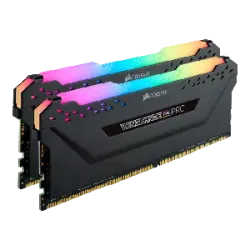
RAM for desktop PCs, laptops and servers: over 4000 modules. The range covers DDR5, DDR4, DDR3 and older memory, laptop SO-DIMM modules and server memory. Brands include Kingston, G.SKILL, Corsair, Crucial and ADATA.
How to choose RAM
Memory type and form factor. DDR4 and DDR5 modules are not interchangeable, because the notch in the connector sits in a different place, so a DDR5 module will not fit a DDR4 board. Desktop PCs use DIMM modules (mostly 288-pin in our range, with some 240-pin), while laptops use SO-DIMM (260, 204, 262 and 200-pin variants). Check the motherboard or laptop specification before buying.
Capacity. The range runs from 2 to 64 GB per module, with 8, 16 and 32 GB the most common sizes. For browsing, office software and everyday tasks, 8 or 16 GB is usually enough. Gaming and photo editing suit 16 or 32 GB, while video editing and virtual machines call for 32 GB or more. Remember that every board supports a maximum total amount of memory.
Speed and latency. DDR4 modules in our range commonly run at 2666 and 3200 MHz, and DDR5 includes speeds such as 5600 MHz. A higher speed only helps if the processor and motherboard support it, otherwise the memory runs slower. Lower CAS latency generally means a slightly quicker response.
Kit or single module. Two identical modules run in dual-channel mode, which is usually faster than a single module of the same total size. A 2 x 16 GB kit is therefore often a better buy than one 32 GB module, and you can add a second pair later.
Server memory. Servers often need ECC or registered memory, and the server manufacturer specifies which type fits. Ordinary desktop modules usually do not work in such servers.
Brands in our range
- G.SKILL: known for fast DDR4 and DDR5 kits aimed at enthusiasts, gamers and overclockers.
- Kingston: offers both standard modules for work PCs and the FURY line for gamers.
- Corsair: well known for the Vengeance and Dominator series, popular with PC builders who care about cooling and looks.
- Crucial: the consumer brand of memory maker Micron, a common choice for upgrading laptop and desktop memory.
- Patriot Memory and ADATA: both have gaming lines (Viper and XPG), typically with heatspreaders on the modules.
- Dell, Lenovo, HP Inc and HP Enterprise: computer and server makers whose modules are intended for their own laptops, desktops and servers.
The category is divided into DDR5 memory, DDR4 memory, DDR3 and older memory, laptop memory and server memory. Also in our range: 2-POWER, CoreParts.
Frequently asked questions
What is the difference between DDR4 and DDR5 memory?
DDR5 is the newer generation, runs at higher speeds and is used on newer platforms. DDR4 and DDR5 modules are physically and electrically incompatible, so you must choose the type your motherboard supports. One cannot replace the other.
How much RAM does a computer need?
For everyday use 8 or 16 GB is enough, and for gaming 16 or 32 GB is usually recommended. Video editing, 3D work and virtual machines benefit from 32 GB or more. The exact amount depends on the programs you run.
Can I use desktop RAM in a laptop?
No, a desktop DIMM module will not fit in a laptop. Laptops use smaller SO-DIMM modules, and the pin count and memory type depend on the model. Check the laptop specification before buying.
Can I mix different RAM modules?
Often it is technically possible, but identical modules are the better choice. Modules with different speeds run at the speed of the slowest one, and mixing sizes or makers may not reach full dual-channel performance. A single matched kit is the most stable option.


